Newsletter Subscribe
Enter your email address below and subscribe to our newsletter

 ByJohn A
A new laptop gets all the attention on delivery day. Few people notice the cable, the mouse, or the flash disk that arrives in the same order. Yet those small items shape every hour you spend at the desk. Computer accessories in Kenya often cost less than a team lunch, which may be why buyers choose them in a hurry and regret it a month later.
So what separates a setup that works from one that frustrates you by Wednesday? More often than not, it comes down to computer accessories chosen with some thought about how you actually spend your day. This post follows a normal workday and looks at the small purchases each part depends on.
The first thing your hands touch each morning is the keyboard. If it sits too far away or too high, your shoulders start to ache before lunch.
The US Occupational Safety and Health Administration recommends placing the keyboard directly in front of you, with relaxed shoulders and wrists kept straight in line with your forearms. Its guidance also says to keep the mouse right beside the keyboard, because reaching for it for long periods strains the shoulder and arm.
That sounds obvious. Perhaps you have seen the opposite in your own office: a mouse sitting at the far corner of the desk, and an arm stretched toward it all afternoon.
A few small changes help:
See also: What to Expect When Starting Therapy for the First Time
Next comes the first call of the day. A laptop’s built-in camera works, but only so much. A separate webcam placed at eye level looks far better to the person across the table, and a headset cuts the echo that turns short meetings into repeated questions.
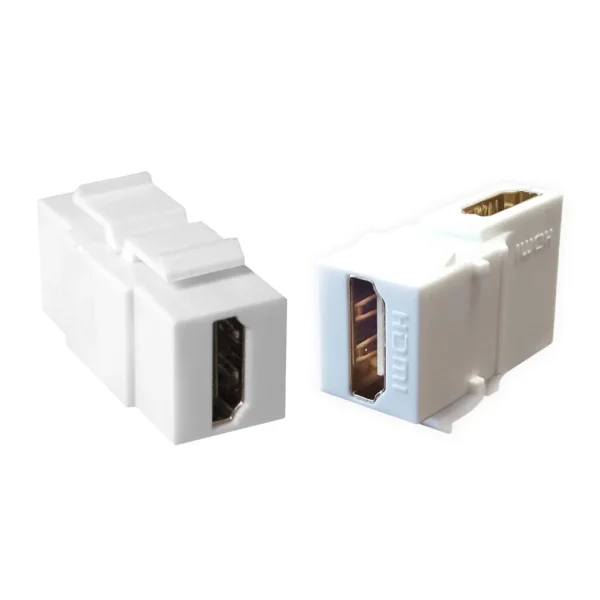
Boardroom screens bring their own trouble. Some older projectors still rely on VGA, while many newer laptops only carry HDMI or USB-C ports.
Prices here are modest, which makes the scramble before a pitch even more annoying. A 2-meter VGA cable costs about KSh 200 before tax, and a 3-meter version runs near KSh 400. An HDMI splitter that feeds one laptop to two screens sits around KSh 2,400, and a four-port model costs about KSh 3,000.
Which one do you need? Count the screens in the room before you buy, not after the meeting has started.
By afternoon, the files have piled up. Where do they live if the laptop fails tomorrow?
A USB flash disk handles quick transfers between machines. A Lexar S60 costs around KSh 1,200 for 32GB and KSh 1,800 for 64GB, before tax. For real backups, an external hard disk or SSD makes more sense, partly because flash disks tend to get lent out and never returned.
Memory deserves a mention too. If your laptop crawls with ten browser tabs open, a RAM upgrade might help more than a new machine would. Check the memory type your model supports first, since the wrong module will not fit.
Here is the problem nobody budgets for. Offices near busy roads collect fine dust quickly, and much of it settles inside laptop vents.
An HP staff member on HP’s support forum noted that laptops can run up to 40% hotter when their vents and fans are clogged with dirt. HP’s cleaning steps are simple: switch off the laptop, unplug it, and blow the dust out of the vents with canned air, without opening the case. The same guidance warns that soft surfaces like beds or couches can block airflow and lead to overheating.
A computer blower does the job canned air does, and you can use it again and again. Once a month feels about right, though a dusty office may need it more often.
Power cuts happen, and so do forgotten chargers. A spare laptop adapter kept at the office can rescue a morning when someone leaves theirs at home. Match the voltage, wattage, and connector to your exact laptop model before you order.
Power banks keep phones going and can charge some USB-C laptops. Check the output wattage first rather than assuming it will charge yours.
A padded laptop bag seems like an afterthought until the first crowded commute. After that, most people stop asking whether it was worth the money.
Take two minutes and answer these honestly:
Learn more about computer accessories in Kenya, and compare keyboards, cables, storage, and chargers before your next setup. Visit https://www.dataworld.co.ke/product-category/it-accessories/